8 Sept 2026
How to collect Google reviews automatically at a local shop
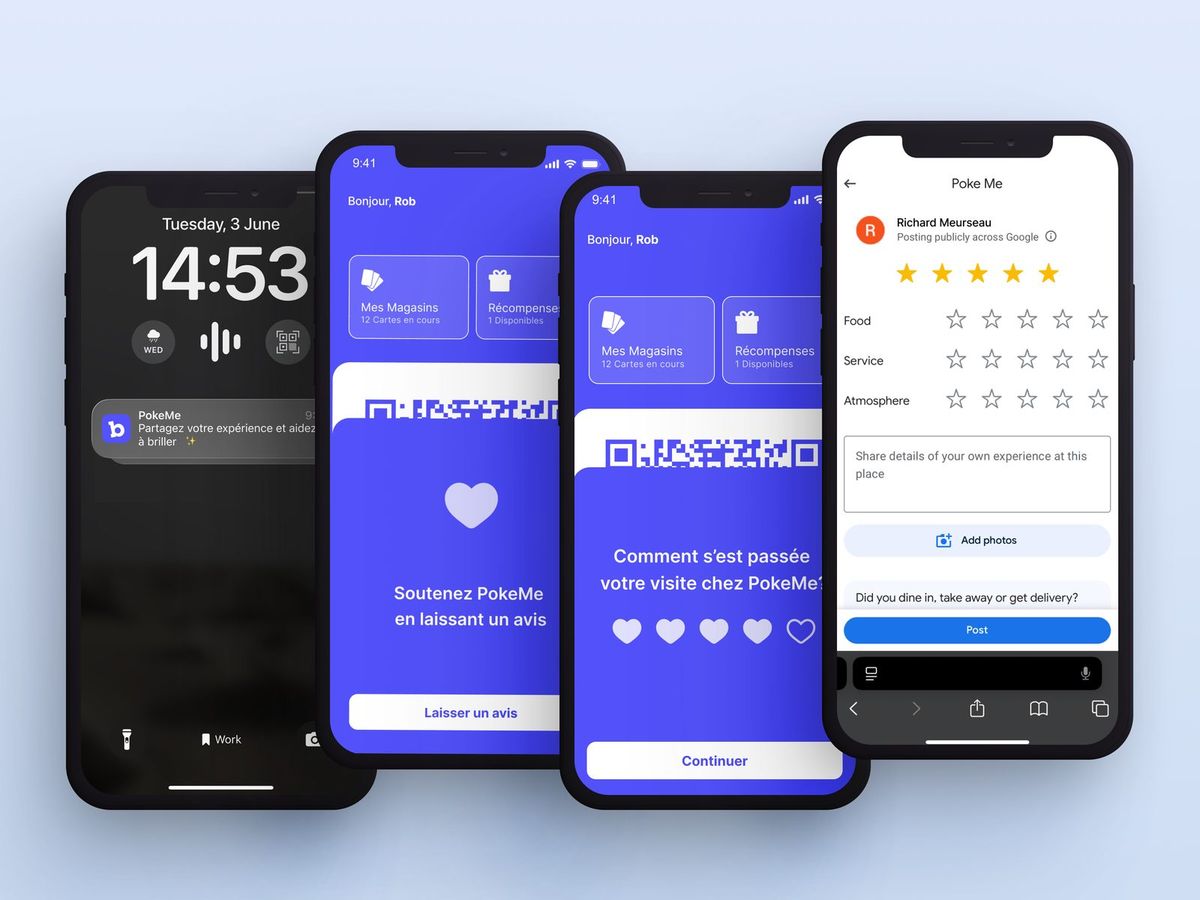
When someone searches for "café" or "hairdresser" near them, Google shows three businesses on the map before anything else. What decides which three: distance, rating, and the number of recent reviews. You can do nothing about distance. About the other two you can do a lot, provided you ask. And asking face to face, in the middle of service, is exactly the kind of thing that gets forgotten.
What Google allows, and what it forbids
Asking your customers for a review is allowed, and Google explicitly recommends it. Three things are forbidden: paying or offering anything in exchange for a review, writing a review on the customer's behalf, and discouraging negative reviews. Everything below stays inside those three lines: you ask everyone, at the right moment, and the customer writes what they want, or nothing.
Four ways to ask without doing it at the counter
1. A QR code on the receipt or at the counter. The cheapest. Google provides a direct link to your listing's review form; print it as a QR code. The problem is the moment: the customer has just paid, their hands are full, they are leaving. The response rate is low, but it is not zero.
2. A post-purchase message from the till. If your POS knows the customer's email or phone number, it can send a request the same evening. Effective, provided you have those details, which is almost never the case at a café counter.
3. A request tied to the loyalty programme. This is the most precise method, because the programme knows two things nobody else knows: that this customer has been before, and that they have just left. With Badger, the request goes out once the visit is over, and only from the second visit on. A customer who came back rarely writes the same thing as a passer-by. The customer rates and comments in the app; above the rating you set, they are invited to post the review on your Google listing; below it, the feedback comes to you, with the comment, so you can fix what needs fixing.
4. Reputation platforms. Dedicated tools centralise requests and replies across several review sites. Useful from several locations upwards; oversized for one shop.
Timing matters more than wording
A request that works has three properties. It arrives after the visit, not during. It arrives the same day, while the memory is sharp. And it is short: one question, one link. A request sent three days later, in four paragraphs, is ignored.
The second visit is a better moment than the first. A customer who comes back has already decided they like you; you are not asking them to make up their mind, you are asking them to say so.
Reply, especially to the bad ones
A two-star review with a calm, specific reply from the owner is worth more than a silent five-star one, because the next reader sees how you handle a problem. Two sentences are enough: what happened, what you changed. Never a thirty-line explanation.
What you need to be able to measure
Without measurement you will never know whether the method works. Three figures are enough: the number of requests sent, the number of reviews actually written, and the average rating of those reviews. The Badger dashboard separates reviews that arrived on their own from those that followed a request, and lists the internal feedback separately.
The questions we get asked
How many reviews do I need? There is no magic threshold. What counts is regularity: a few recent reviews a month weigh more than a hundred from last year.
Can I offer a coffee for a review? No. That is exactly what Google forbids, and a listing can be penalised for it.
What if a customer gives me a bad rating? You receive it, you reply, and you fix what needs fixing. Negative feedback that reaches you directly is worth more than a customer who never comes back without saying why.
Do I have to connect my Google listing? Yes, once, from your Badger dashboard. After that the request sends itself. There is nobody left to prompt at the counter.